
GeoInquiries for Earth Science (Level 1 activities)
🔍 Introduction to Level-1 GeoInquiries
The GeoInquiries for Earth Science (Level 1) collection by Esri offers a series of concise, standards-based activities designed to integrate geospatial technology into middle and high school earth science curricula. Each activity utilizes ArcGIS Online to facilitate interactive learning experiences without the need for additional installations or logins.
They are quick, and standards-aligned map-based activities designed for fast and effective classroom use. Key aspects include:
- ⏱️ Time-efficient: Each lesson takes about 15 – 30 minutes, perfect for warm-ups, transitions, or short instructional segments.
- 🌐 No account needed: They run entirely via ArcGIS Online, with no login or installation required, ideal for easy classroom setup.
- 🎯 Curriculum-aligned: These activities cover common topics in Earth science, environmental science, human geography, world history, upper elementary, and beyond—teaching map-based concepts tied to educational standards
Highlighted Activities:
- Topography and Our National Heritage: Interpret landscape properties using topographic maps of well-known national parks.
- Remote Sensing: Analyze place-based hazards utilizing remotely sensed data.
- Mining the World’s Most Used Minerals: Examine the quantities and origins of essential mineral resources.
- Rock Types Tell Stories: Explore patterns of rock formations and their interrelationships.
- North American Landforms: Introduce and investigate various landform types across North America.
- Cracked Plates: Study the dynamics of Earth’s crust to explain multiple geological phenomena.
- The Earth Moves Under Our Feet: Investigate current earthquake occurrences through ground-sensed motion data.
- Plate Type Effect on Volcanoes: Examine how volcanic properties are influenced by nearby crust and plate boundaries.
- Mountain Building: Discover the formation processes of global mountain ranges in relation to plate movements.
- A River Runs Through It: Understand how water gathers and travels through watersheds to the sea.
- Ocean Features: Categorize ocean sections and comprehend their significance.
- Fluid Earth: Winds and Currents: Explore the relationship between air and water currents.
- How’s the Weather?: Analyze relationships between temperature, pressure, humidity, and daily weather forecasts.
- Tropical Storms: Utilize hurricane track information to understand factors encouraging hurricane formation.
- Climate Change: Identify areas predicted to undergo changes due to climate change.
These activities are designed to enhance students’ understanding of earth science concepts through interactive and practical applications of geospatial technology.
🌐 Let’s try one of the Level 1 scenarios!
For this scenarion we have the follwing resources:
Get started – Two important things you should always remember for the GeoInquiries Level 1
- Open the map (Map Maker, everything is hosted there, all maps, processing tools etc.!).
- Use the teacher guide to explore the map with your class or have students work through it on their own with the worksheet (download the teacher quide which follows a step-by-step approach on how to conduct the activity based on the 5-E model!).
Map Maker
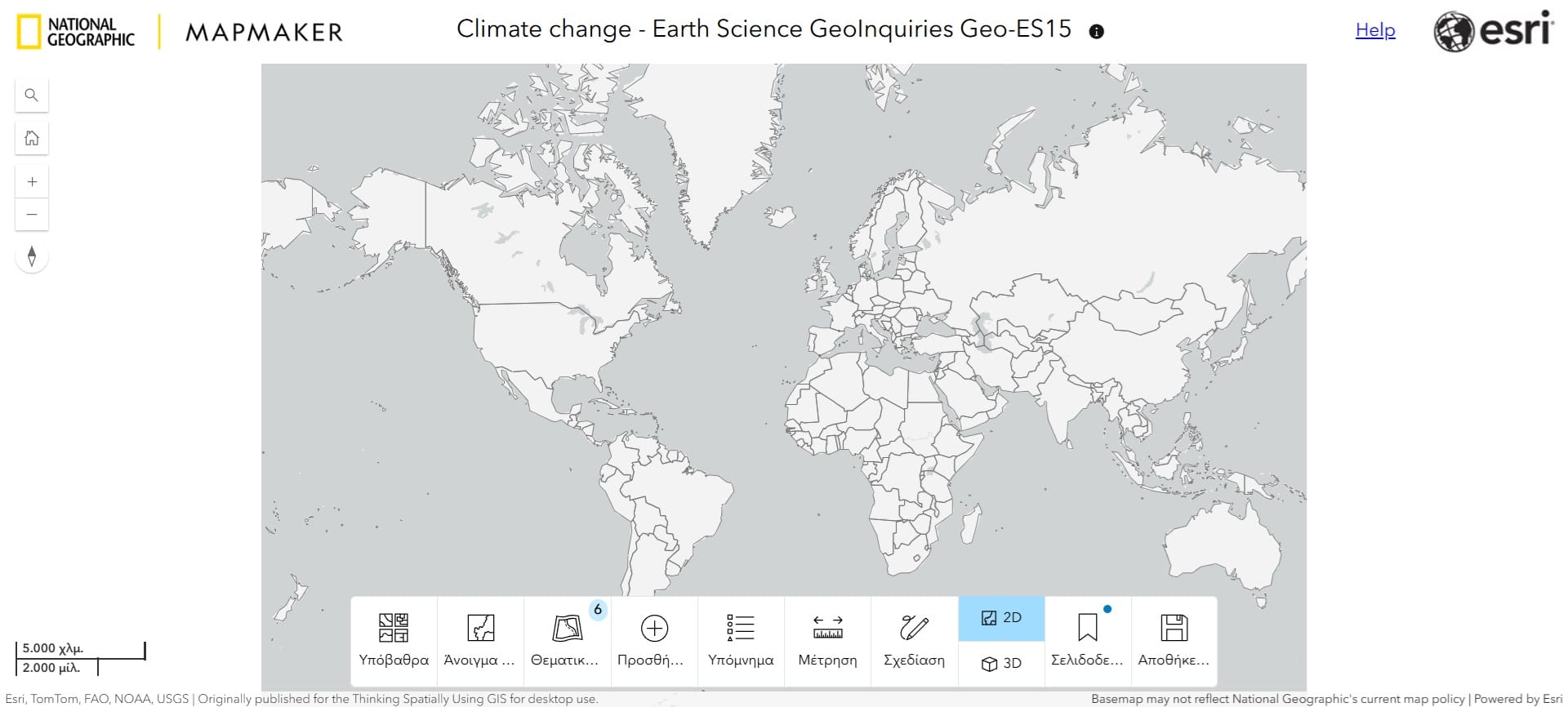
The bottom bar of the Map Maker App interface provides users with essential tools to interact with and customize the map effectively. Key features include:
-
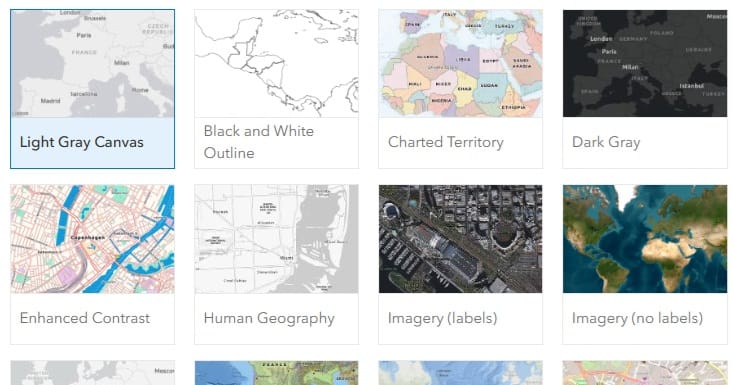
Basemap Toggle: Allows users to switch between different basemaps to change the map’s appearance. By default, users can select from a list of basemaps in their organization’s default basemap group.
-
Layer List: Displays a list of map layers with options to toggle their visibility. In some apps, this setting also allows showing the layer’s attribute table, which includes an option for users to export records as CSV.
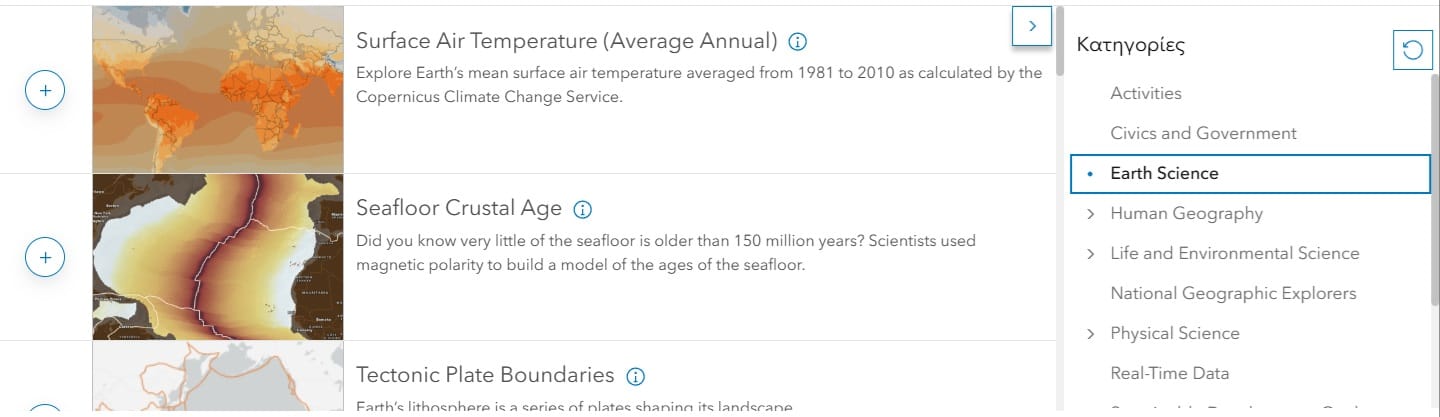
- Add Layer: You may add any of the numerous layers listed (see below) focusing on different thematic areas.
-
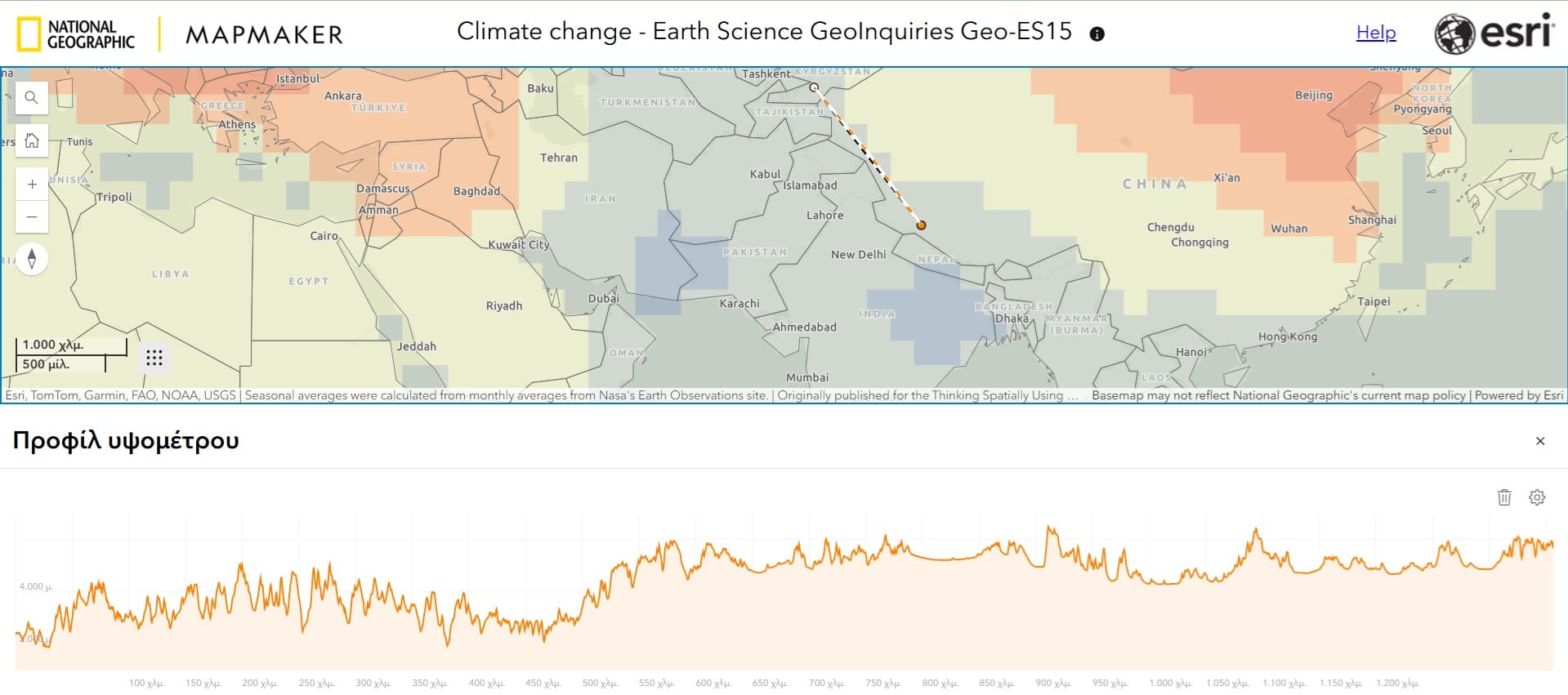
Draw Tool: Enables users to create features on the map by adding sketch layers. Users can draw various feature types, such as stamps, lines, polygons, rectangles, circles, and text. These features are saved with the map and can include descriptive information that appears in pop-ups when clicked.Ruler tool: You can alway measure distances or even the elevation profile between 2 points!
-
 Legend: When you select a layer from the ‘Layer List’ or you add a new layer, you should always activate the Legend Tab so that your students may read the map, identify differences and spatial patterns.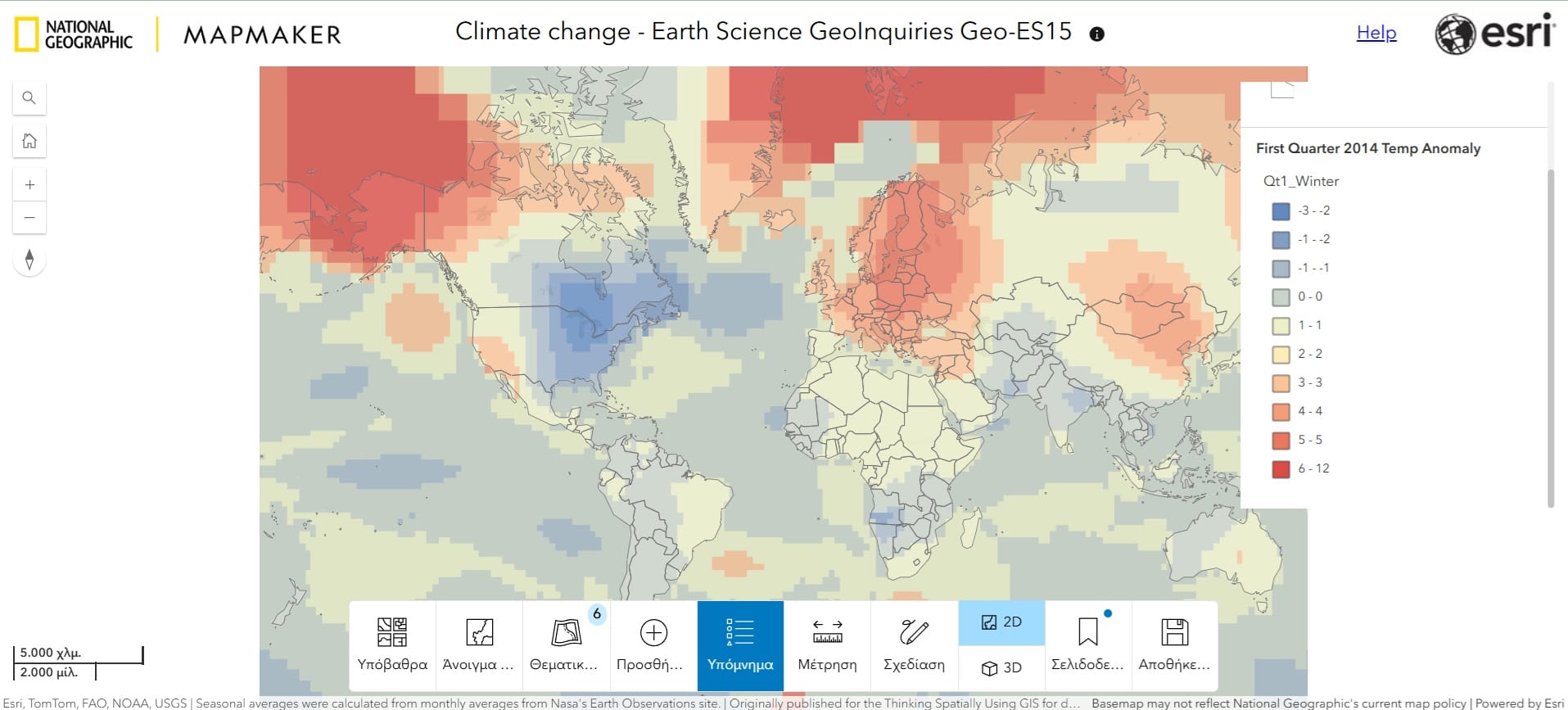
- 2D/3D: You may always visualise any thematic layer either on 2D (Projected view) or 3D (Globe view)!
- Save as: You can always save a screenshot or the map. In this way, you and your students may create and explore their own maps!
Teacher Guide (Check the Course Materials)
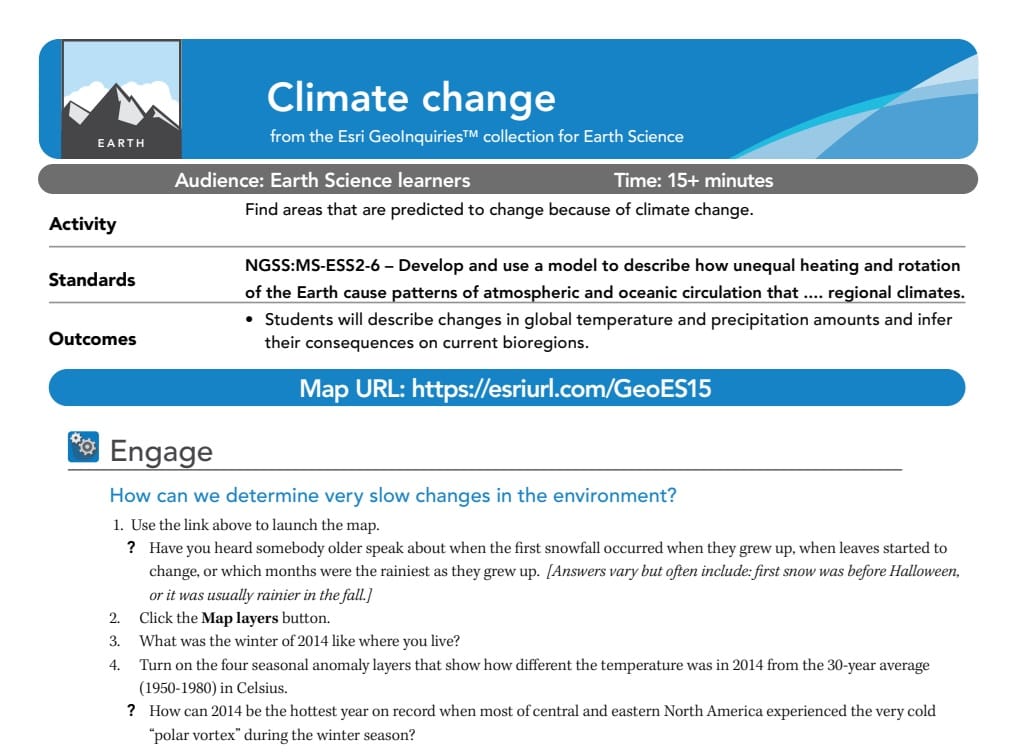
The Teacher Guide for the Climate Change GeoInquiry provides educators with a structured approach to teaching climate change using interactive geospatial technologies. It includes an overview of the activity, detailing how students will analyze climate data using Map Maker. The guide provides learning objectives aligned with national science standards, ensuring relevance to Earth Science curricula.
It also outlines a step-by-step procedure, guiding teachers on how to introduce climate change concepts, navigate the Map Maker interface, and facilitate student discussions. Key questions are included to encourage inquiry-based learning, along with suggested extensions for deeper exploration. The guide also provides technical support tips and assessment templates (quizzes etc.) to help educators troubleshoot common issues and effectively integrate the activity into their lesson plans.